PG
Professional Group Text Messaging Program
Bulk SMS Sending Tool sends multiple messages from windows to any mobile phone
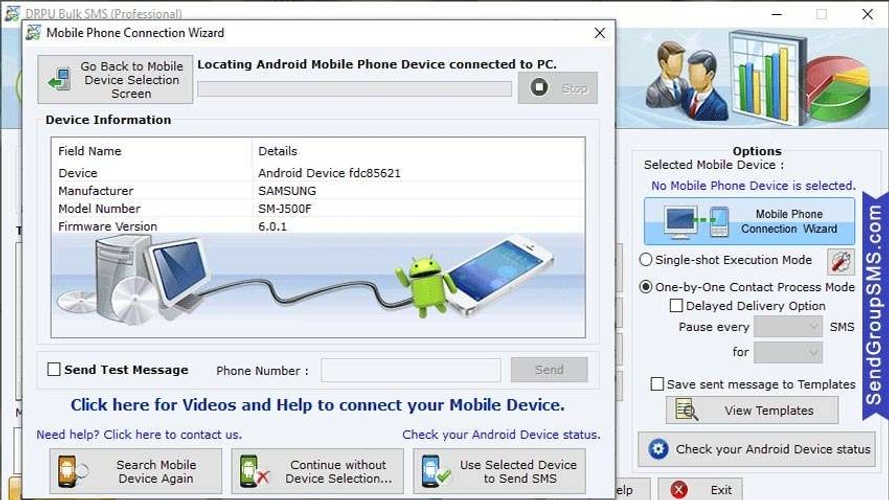
About Professional Group Text Messaging Program
Group Text Messaging Tool helps the user to increase the traffic to the business by sending bulk SMS. Software allows the user to export the sent text SMS in excel format.
Following steps help the user to deliver text messages-
Step 1: Import the contacts in the software through the following ways- 1) Load the contacts from txt file or excel file. 2) Add or paste the contact numbers manually. 3) Use excel file to send unique or personalized SMS to every contact.
Step 2: Update a new message with existing one by following ways- 1) Select single or multiple contacts, click on Update Selected Messages option, write a new message in update message box and then click on apply to selected numbers option. 2) Write a new message in message composer box, click on apply this message to list items option and then update the same message to all list items, selected list items or blank list items.
Step 3: Send text messages in any format by clicking on Enable Unicode characters support option.
Step 4: Skip all the duplicate number entries by clicking on Skip Duplicate Numbers option.
Step 5: Blacklist the contact numbers from the recipient list by clicking on Exclusion List Wizard option.
Step 6: Pause the text messages for a specific time limit to manage the load of bulk SMS transmission by clicking on Delayed Delivery option.
Step 7: Save the text messages as templates so that it can be send to any other contacts directly without doing any modification.
Step 8: Start the message sending process by clicking on Send button.
**Highlighted Features:**
* Send text messages to single or multiple contact numbers simultaneously.
* Software provides the Skip Duplicate Numbers option that allows the user to skip the duplicate number entries from the recipient list.
* Exclusion List Wizard option helps the user to maintain the list of contacts during SMS broadcasting process.
* Software provides the facility to the user to save sent text SMS as templates.
Similar Hacks
—
No reviews yet
5
0
4
0
3
0
2
0
1
0
Enjoyed Professional Group Text Messaging Program?
Share your experience with the community.
Write a ReviewNo reviews yet — be the first!
Discussion
Join the conversation
Sign in or create a free account to leave a comment.
Analytics
Unique visitor trends for Professional Group Text Messaging Program
32
Total Views
—
This month
—
Avg Rating
0
Discussions
Loading…
No comments yet. Be the first to share your thoughts!