
About RepostZap
RepostZap clears your TikTok Reposts tab in one sweep. TikTok gives you no way to bulk-delete reposts: the only supported route is opening each video, tapping the share sheet and choosing Remove repost, one video at a time. People who have used the repost button for a couple of years end up with hundreds or thousands of them sitting on their public profile, and clearing that by hand takes entire evenings.
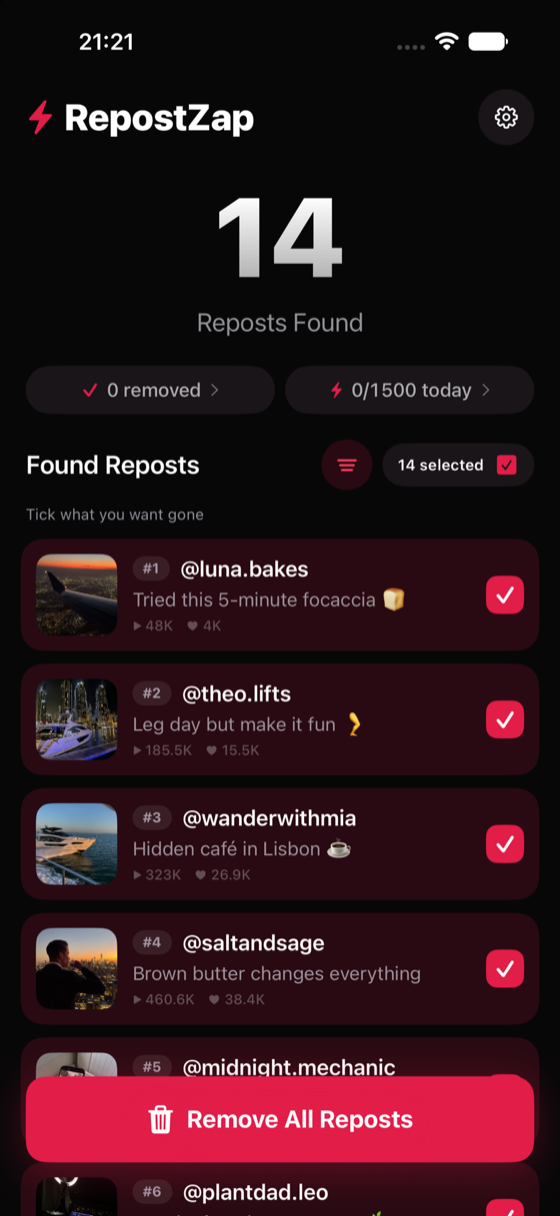
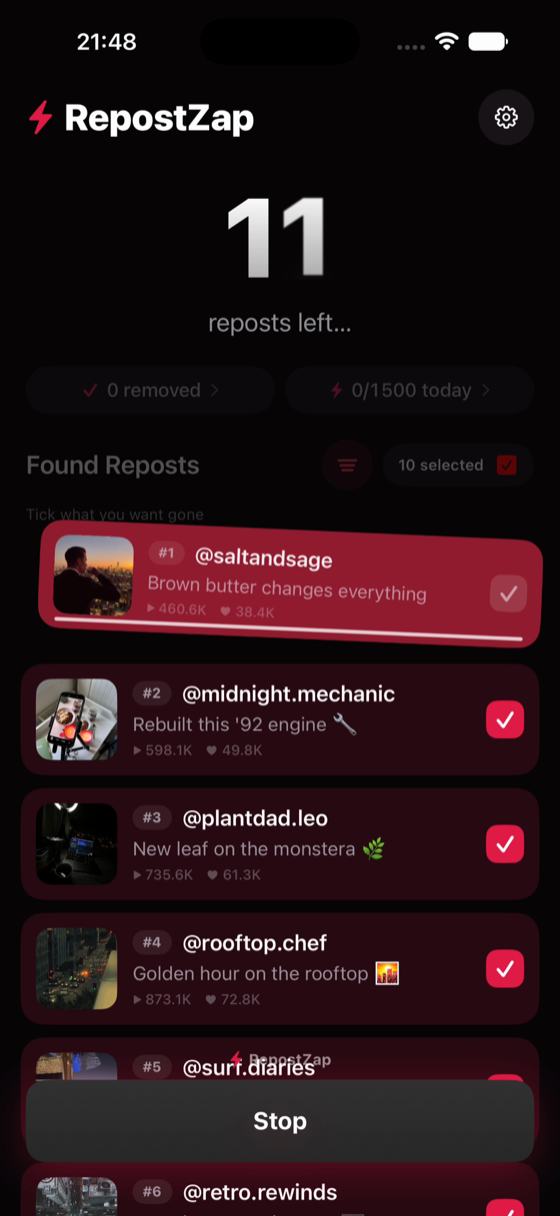
RepostZap automates exactly the same Remove repost action, from your own logged-in session. You sign in on TikTok's own page inside the app, so your password never touches RepostZap and no credentials are stored anywhere. The app then scans your profile and builds a full list of your reposts, each one shown with its cover image, the creator who posted it and its view count, so you can actually tell what you are about to remove. You tick the ones you want gone, or use select-all, and RepostZap works through them in a single automated pass while you watch the progress.
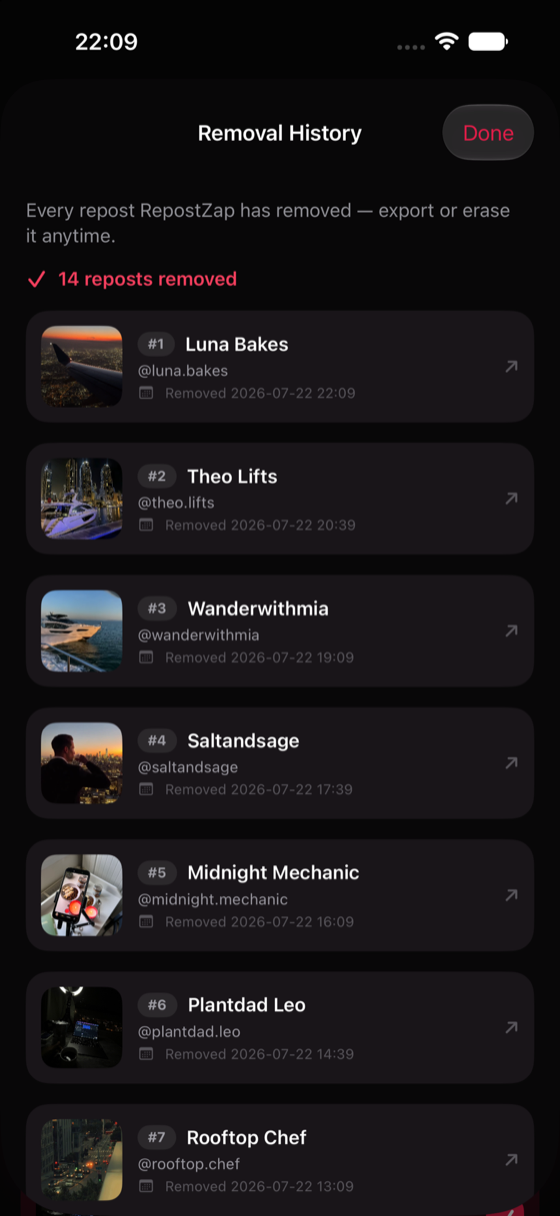
Keep-filters let you protect reposts from the last N days or from favorite creators, so a bulk clean-up never touches the ones you meant to keep. Nothing is removed until you confirm the selection, and every removal is written to a local history log that you can export as CSV if you want receipts.
Pricing is freemium. A free daily allowance covers small clean-ups, inviting friends raises your daily limit, and Pro unlocks heavy one-sitting clean-ups for people with very large repost histories.
RepostZap runs on iPhone, iOS 16 and later. Everything happens on your device. It is an independent tool and is not affiliated with TikTok or ByteDance.
No reviews yet — be the first!
Discussion
Join the conversation
Sign in or create a free account to leave a comment.
Analytics
Unique visitor trends for RepostZap
No comments yet. Be the first to share your thoughts!