
TeamSlide
Build better presentations, faster, with approved slides right inside PowerPoint.
About TeamSlide
TeamSlide is a presentation management platform designed to help organizations create professional, brand-consistent PowerPoint presentations more efficiently. By integrating directly into Microsoft PowerPoint and connecting with existing content management systems, the platform provides teams with immediate access to approved presentation assets while simplifying slide management, template distribution, version control, and brand compliance. Its primary goal is to eliminate the time spent searching for presentation content and reduce the risk of using outdated or inconsistent materials.
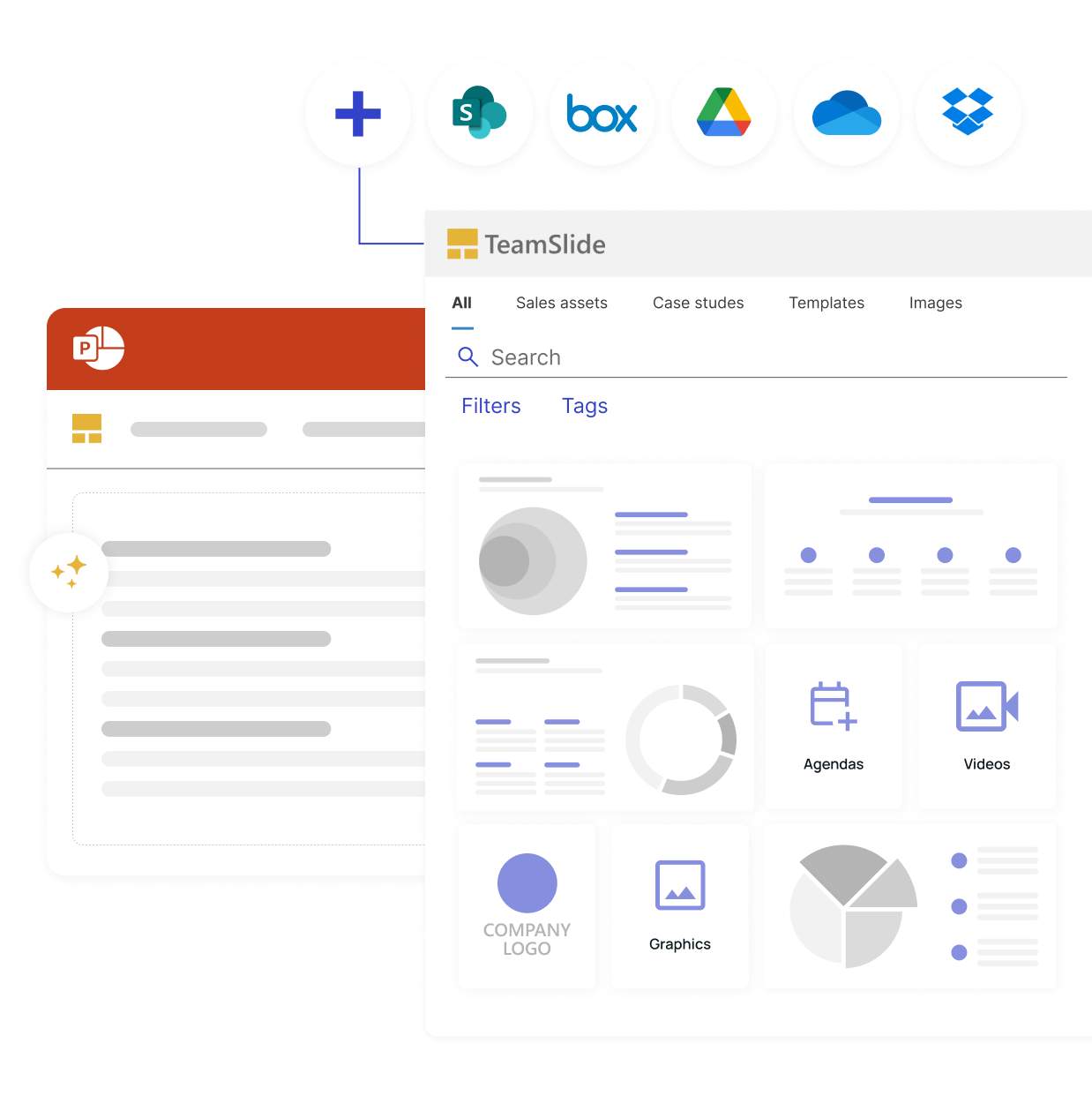
The platform is built around a centralized slide library that enables employees to search, browse, and reuse approved presentation content without leaving PowerPoint. Rather than manually locating previous presentations or requesting updated materials from colleagues, users can instantly search across individual slides, tables, diagrams, speaker notes, and metadata to find exactly the content they need. Features such as tags, filters, and pinned slides further improve discoverability, allowing organizations to organize large presentation libraries in a structured and scalable manner.
One of TeamSlide's core strengths is its seamless integration with existing enterprise content management platforms. Instead of requiring organizations to migrate their files into a separate repository, the platform synchronizes directly with systems such as SharePoint, OneDrive, Box, and other supported storage solutions. This allows presentation assets to remain within their existing workflows while ensuring that employees always access the latest approved versions. The integration minimizes duplication, simplifies content governance, and preserves existing document management processes.
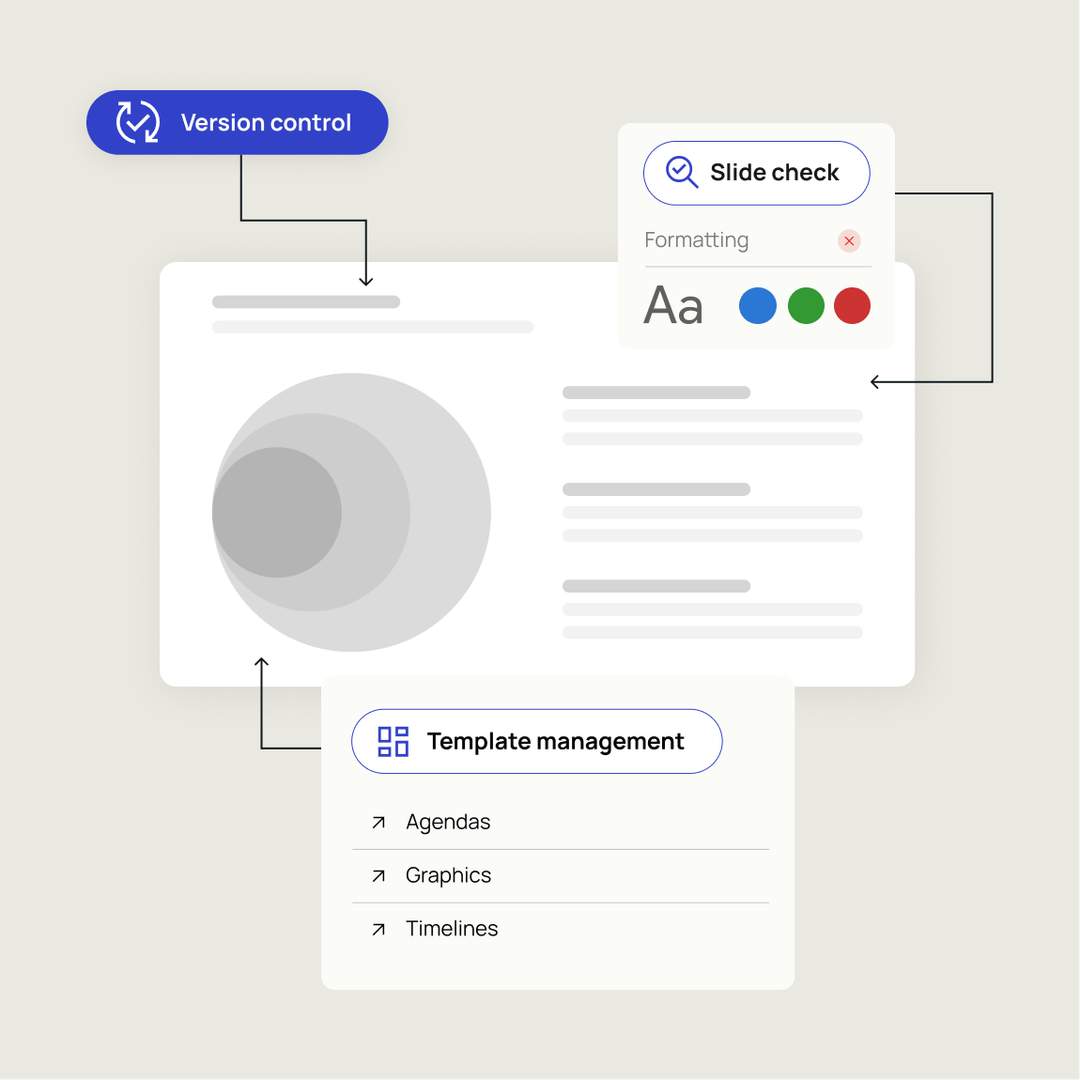
Maintaining brand consistency is another major focus of the platform. TeamSlide provides centralized template management that ensures every presentation begins with approved layouts, fonts, colors, and design elements. In addition, automated slide checking reviews presentations for formatting inconsistencies, branding violations, typographical errors, and other issues before they are shared with customers or stakeholders. These automated quality checks help organizations enforce presentation standards while reducing manual review effort and improving overall presentation quality.
The platform also includes comprehensive version control capabilities designed to prevent outdated content from being reused. Whenever presentation assets are updated within the organization's repository, TeamSlide automatically identifies older versions and alerts users that newer approved slides are available. This ensures that sales teams, consultants, marketing departments, and other employees consistently present accurate information while reducing the business risks associated with obsolete messaging or outdated data.
Artificial intelligence is integrated into the platform through AI-powered slide generation. Users can transform rough notes, outlines, or text into professionally designed PowerPoint slides that follow the organization's branding guidelines and presentation style. Rather than generating generic content, the system is designed to produce consulting-quality slides that align with company templates and communication standards. Users can then continue editing the generated slides directly within PowerPoint, combining AI-assisted productivity with familiar presentation workflows.
The platform also supports enterprise governance through flexible permission management. Organizations can assign access rights to individual users or groups, ensuring that employees only see presentation libraries relevant to their roles. Permissions can be managed centrally, making it easier to control access to confidential materials while maintaining organized content libraries across departments and business units.
No reviews yet — be the first!
Discussion
Join the conversation
Sign in or create a free account to leave a comment.
Analytics
Unique visitor trends for TeamSlide
No comments yet. Be the first to share your thoughts!